
The iPhone app for talking-head videos
You record. YapCuts edits. You post.
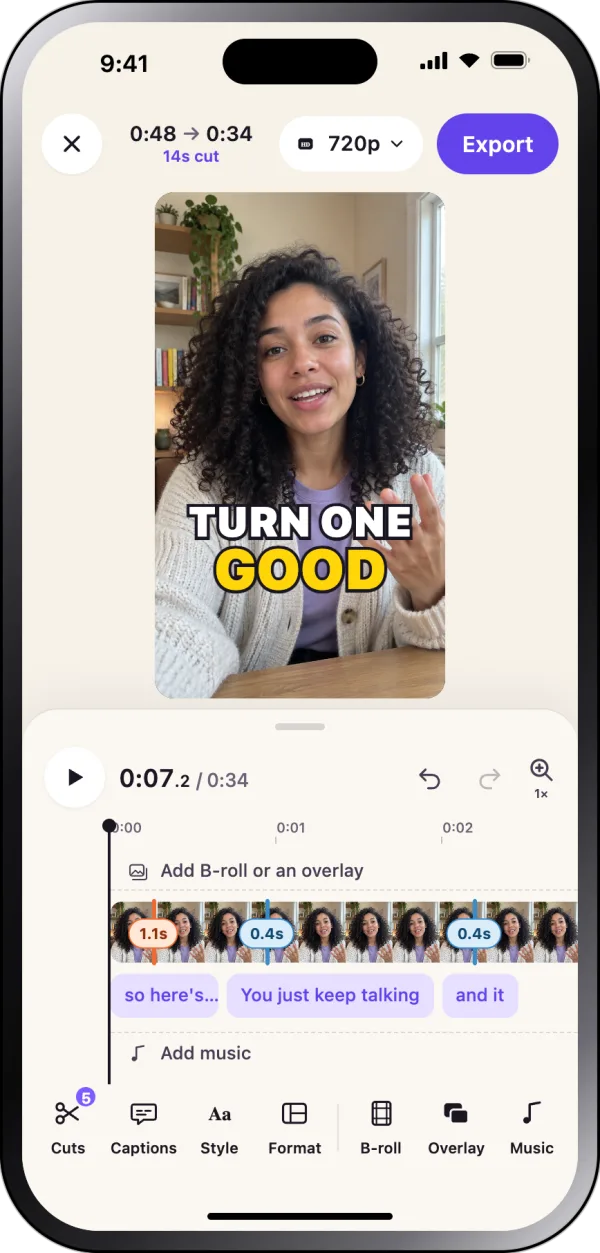
Talk to the camera the way you normally would. YapCuts cuts the retakes, pauses and ums, adds captions in your style, and gives you a video that's ready to post.
 Free to download
How it cuts
Trip over a line? Just say it again.
RetakeSo the easiest way to, um…
So the easiest way to post more is to stop editing.
Pause· · · 1.8 seconds · · ·
Here's how I do it.
YapCuts keeps the take you finished and drops the one you stumbled on. Pauses and ums go too, and you can put any of them back.
Why editing takes so long
Most of editing is searching.
Filming a two-minute video takes two minutes. Then you scrub back and forth for the take where you didn't stumble, trim every pause and type the captions out word by word. That's where your evening goes.
YapCuts does the searching for you. You just check what it found.
Inside the app
Everything happens on your phone
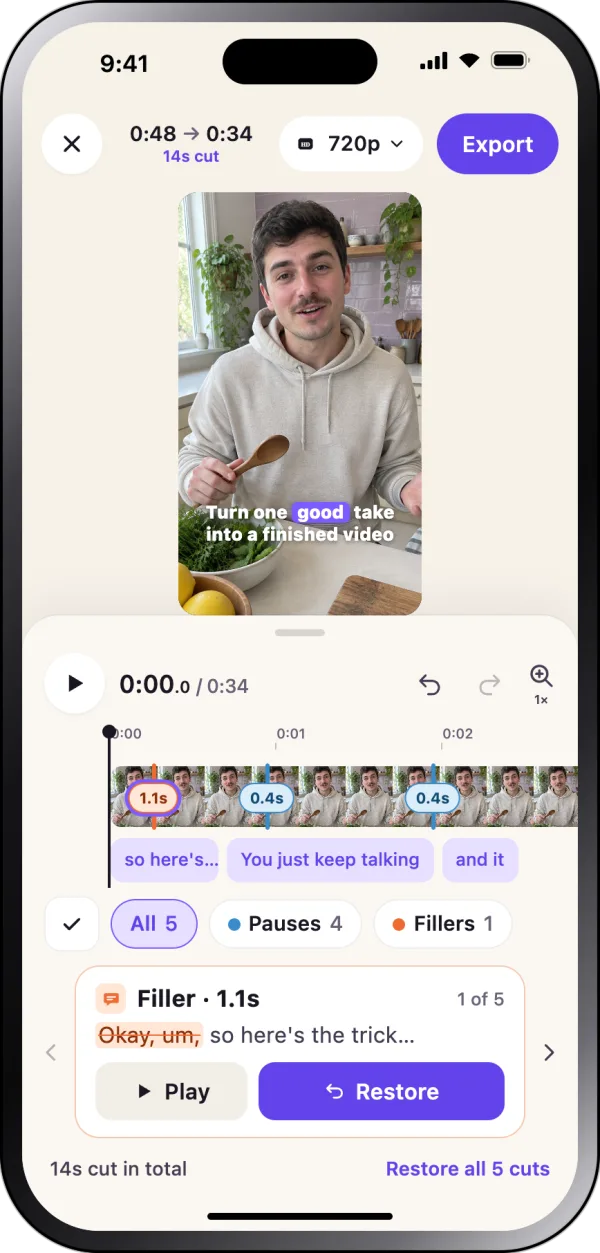
Every cut, shown and undoable
See each pause, filler and retake YapCuts took out. Play it, put it back, or keep going.
Made for what you film
How it works
Your next video in three steps
 Record or uploadFilm in YapCuts, with the teleprompter if you like, or pick a video from your camera roll.
 YapCuts edits itRetakes, pauses and ums come out. Captions go in. Gentle zooms keep it moving.
 Check it and postLook over every cut, change anything you want, and it saves straight to Photos.
Same video, two ways
Your evening, with and without YapCuts
Editing by hand
- Watching every take to find the good one
- Trimming pauses one by one
- Typing captions word by word
- Videos stuck in your camera roll
With YapCuts
- Say it again and keep going
- Pauses and ums cut for you
- Captions added for you
- Posted the same day
A freelance editor charges about $10 to $15 for one short video. YapCuts edits every video you film, on your phone.
FAQ
Questions people ask
Is YapCuts on Android?
No. YapCuts is an iPhone app.
What does it cost?
It's free to download. You choose a Pro plan inside the app, monthly or yearly, and you can cancel any time.
I've never edited a video. Is that a problem?
No. You film, YapCuts does the cutting and captions, and you look over the result.
Will it cut me off mid-sentence?
You see every cut before you export. If one's wrong, put it back.
Can I use videos I've already filmed?
Yes. Pick them from your camera roll and YapCuts edits them the same way.
Is it AI-generated?
No. It's your own footage and your own voice. YapCuts only takes out the parts you didn't want and adds captions.
How many videos can I make?
Pro includes 300 minutes of raw footage a month. A 3-minute take uses 3 minutes.
Does it post for me?
No. Finished videos save to your Photos, and you post them wherever you like.
Record it once. Post it tonight.